TOONRA FOR iOS
AI TRANSLATION · SAFARI · YOUR LIBRARY
Your AI manga translator.Read every story.
Manga, manhwa, webtoons. Bring the dialogue into your language, right on the page. Browse, translate, and settle into your next chapter.
Coming to iOS · App in development
 ToonraPREVIEW
SEE THE DIFFERENCE
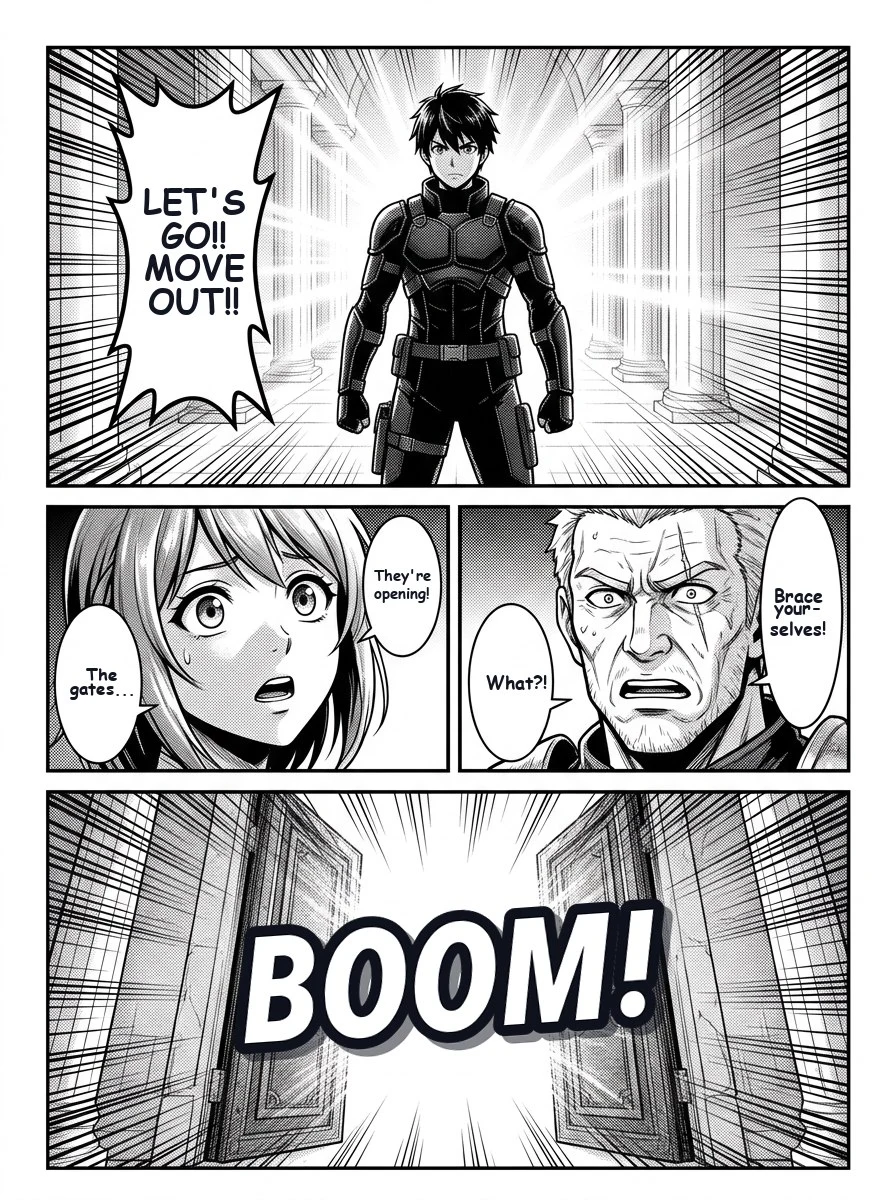
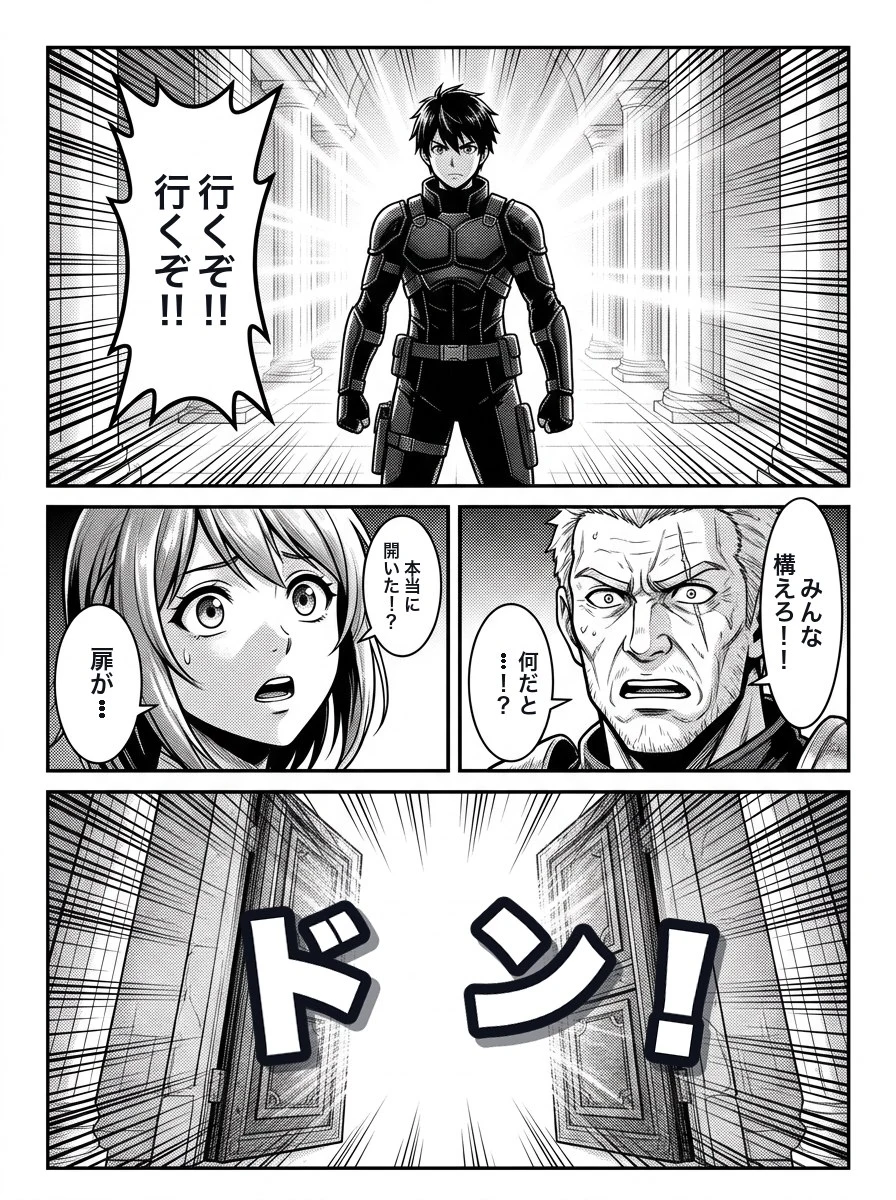
Same panels. A whole new understanding.
Drag to compare the original and translated sample. The dialogue changes. The story stays right where it belongs.
BUILT AROUND YOUR STORIES
One app. Your whole reading world.
Start with a website, keep reading in Safari, or bring the comics you own. Toonra fits the way you read.
IN-APP BROWSER
Stay in the story. Read in your language.
Open a comic website in Toonra, choose your languages, and translate the pages you can access. Dialogue is placed back into the artwork so you can keep following the story.
- Translated dialogue in the page
- Switch back to the original
- A glossary for recurring names
SAFARI EXTENSION
Your favorite browser. A new way to read.
Already reading in Safari? Enable the Toonra extension, allow it on your chosen website, and bring translated dialogue to the page. Your language preferences are shared with the app.
- Translate without leaving Safari
- Language preferences shared with the app
Toonra日本語 · English
YOUR PERSONAL LIBRARY
Your comics. Your reading ritual.
Bring the files you own into a personal library. Read page by page, scroll through a long strip, or settle into a two-page spread. Translate when you need a little help with the dialogue.
- PDF, CBZ, CBR and images
- Page, scroll and two-page layouts
- Originals always within reach
THREE SIMPLE STEPS
Your next chapter starts here.
Open your comic
Use the built-in browser to visit a website you have permission to read.
Choose your languages
Set the source and target language, then enable translation for the page.
Read and compare
Read the translated dialogue in place, or switch back to the original.
Preview of the current app flow. Cloud AI translation requires a connection.
THE READING ROOM
Make every chapter feel easier.
How to translate manga on your iPhone
Choose between the built-in browser, Safari and local files, then read translated dialogue in the page.
Bring PDF and CBZ comics into your library
Import your own comic files, choose a reading mode and understand what stays available offline.
Which manga translation workflow fits you?
Compare Toonra, Mangra, OpenToon and iTranscreen by reading workflow, inputs and offline behavior.
A LITTLE MORE TO KNOW
Good questions.
Can I download Toonra yet?
Toonra is in development for iOS. There is no public App Store or TestFlight download on this website yet. The walkthroughs preview the current app experience; release details may change.
Does Toonra include a collection of manga?
Toonra is a reading and translation tool. Bring files you have the right to use or visit authorized websites. This website uses prepared sample artwork to demonstrate the experience.
Can I read offline?
You can read imported local files without a connection. Previously rendered translation images may also be available while cached. Cloud AI needs a connection for new translations. On-device translation is under development and depends on supported system languages and device availability; it is not a universal offline guarantee.
Will it work on every comic website?
No universal compatibility is promised. Image permissions, sign-in requirements, protected viewers, canvas rendering and page layout can affect access. Toonra does not unlock paid or restricted content.

YOUR NEXT CHAPTER
More story. Less getting lost.
A little help with the words. A lot more room for the story.